Self-Hosting my Calendar
Hosting a CalDAV server to sync my calendar across all my devices.
Overview
I was living in Yahoo Calendar, and it sucks. It’s limited, I don’t control it, and my whole schedule was sitting on someone else’s server at the mercy of whatever Yahoo decides to do with it. I’ve got a Debian 13 server that all my devices already reach over Tailscale, so the obvious move was to stop renting my calendar and just host it myself.
The protocol that makes this possible is CalDAV, the open standard every platform I use speaks natively: Windows, Arch Linux, Debian, and (the important one) iOS. Get a CalDAV server running and every device syncs to it as the single source of truth. No more Yahoo, no more limits, and my calendar is now just a pile of files I own.
Parts / Tools
- Debian 13 server (already on my tailnet)
- Radicale — a tiny Python CalDAV/CardDAV server
- Tailscale — for HTTPS + secure access, minimum ports exposed to the internet
apache2-utils(forhtpasswd)- Clients: iOS Calendar (iOS, obviously), KOrganizer (KDE, for all Linux flavors)
$0, all open source. My calendar now lives as plain.icsfiles on my own disk.
How it works
Radicale is a dead-simple CalDAV server: file-based storage, does exactly one job, and every calendar is just an .ics file on disk, which is trivial to back up. I picked it over the alternatives on purpose. Baïkal (PHP, has a web admin UI) is fine but heavier, and Nextcloud is full groupware, genuinely good but massive overkill when all I wanted was calendar sync. Radicale is the sweet spot for “Linux junkie who only wants a calendar.”
Every device points at the same Radicale collection over CalDAV. iOS adds an event —> it lands in the .ics collection on my Debian box —> KOrganizer pulls it on its next sync, and vice versa. Nothing is syncing “to” anything else; they’re all just clients of the same source of truth.
The elegant part is how Tailscale handles the hard bit. Normally CalDAV’s pain is TLS; iOS in particular flatly demands HTTPS with a valid cert. Instead of running my own certs, I bind Radicale to localhost and put tailscale serve in front of it, which gives me a real, auto-provisioned Let’s Encrypt cert on a .ts.net hostname, reachable only from inside my tailnet, nothing open to the public internet. Valid HTTPS with zero cert wrangling.
Software
1. Install Radicale.
sudo apt install radicale apache2-utils2. Make a user + password:
sudo mkdir -p /etc/radicale
sudo htpasswd -B -c /etc/radicale/users j4mes
3. Minimal /etc/radicale/config:
[server]
hosts = 127.0.0.1:5232

[auth]
type = htpasswd
htpasswd_filename = /etc/radicale/users
htpasswd_encryption = bcrypt

[storage]
filesystem_folder = /var/lib/radicale/collections
It’s bound to 127.0.0.1 on purpose — Tailscale exposes it, not Radicale itself.
4. Enable the service (the Debian package ships a systemd unit):
sudo systemctl enable --now radicale5. Put Tailscale HTTPS in front of it:
sudo tailscale serve --bg http://127.0.0.1:5232That gives me https://debianserver.<tailnet>.ts.net/ with a valid cert. (You have to enable HTTPS/MagicDNS once in the Tailscale admin console under DNS settings for this to work.)
6. Connect the clients. The CalDAV URL everywhere is https://debianserver.<tailnet>.ts.net/j4mes/ with the htpasswd credentials. iOS: Settings → Calendar → Accounts → Add CalDAV Account. KOrganizer: add a DAV groupware resource. Thunderbird handles the Windows side (native Outlook doesn’t do CalDAV without an add-in, so I skipped it).
What broke / what I learned
This is where I lost the most time, and the lesson is almost embarrassing in hindsight.
iOS kept refusing to connect with an “invalid SSL” error. So naturally I went down the TLS rabbit hole; I figured it was a cert problem, or a CalDAV discovery issue where iOS follows a .well-known redirect that leaks the internal port or scheme and fails the handshake there. I did everything: confirmed Safari trusted the cert (it did), set the explicit Account URL in Advanced Settings to bypass discovery entirely (https://debianserver.<tailnet>.ts.net/j4mes/), the works. Still “invalid SSL.” I was fully convinced it was some subtle reverse-proxy redirect-header problem.
Then, almost as an afterthought, I checked the actual service:
× radicale.service - A simple CalDAV (calendar) and CardDAV server
     Active: failed (Result: exit-code)
     radicale.service: Start request repeated too quickly.
Radicale had crashed and wasn’t running at all. It had failed, systemd retried it too many times too fast, and gave up. So the entire time I was debugging TLS, there was nothing listening behind the proxy, iOS hit a dead backend and mislabeled it as “invalid SSL” instead of “nothing’s there.”
The lesson, which I clearly needed to relearn: check that the service is actually running before you debug anything downstream of it. I burned real time theorizing about redirect headers and PROPFIND flows when a single systemctl status radicale at the very start would’ve pointed straight at it. Now it’s the first thing I check, not the last.
Once Radicale was actually up, iOS connected on the first try. So did KOrganizer, one KDE note there: if it hangs, the fix is almost always akonadictl restart (Akonadi, KDE’s PIM backend, is the fiddly piece, not the server).
Result
It works across everything: iOS, KOrganizer on Arch and Debian, and Thunderbird on Windows all sync to the same Radicale collection over CalDAV. I exported my calendar out of Yahoo as an .ics, imported it through Thunderbird into the new calendar, and cut Yahoo loose for good.
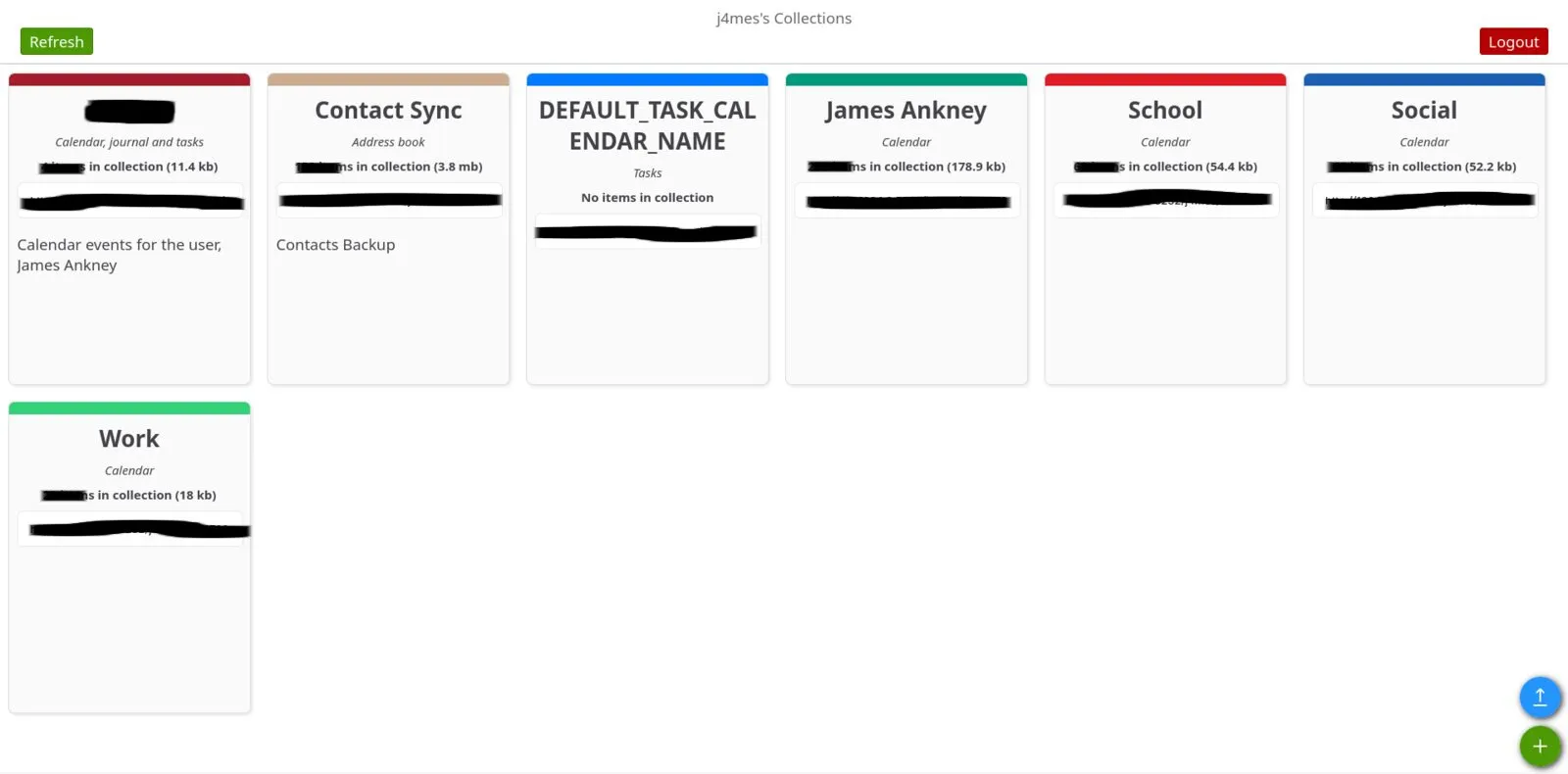 (Sorry for the excessive drawing, I have my Uni classes forwarded into my calendar and I can’t expose the backend.)
My whole schedule now lives as plain .ics files on a server I own, synced securely across every device over my tailnet, with valid HTTPS and nothing exposed to the internet, for zero dollars and about a tiny fraction of the server it runs on. It just works, and it’s mine.
Potential Future Upgrades
- CardDAV for contacts. Radicale already does CardDAV, so I get contact sync essentially for free whenever I want to set it up; same server, same tailnet.
- Tasks / Reminders. Radicale stores VTODO the same as calendar events, so I can add a task-list collection and toggle Reminders on in the iOS CalDAV account. Turns the calendar server into a todo backend too.
- A backup script for the collections folder. Everything’s just
.icsfiles under/var/lib/radicale/collections, so a simple scheduledtar/rsyncto separate media is all it takes to never lose my calendar. Should’ve done this on day one. - Multiple named calendars. Split into
/j4mes/personal/,/j4mes/work/, etc. so each device can toggle them independently, instead of one catch-all calendar.