Backing up ALL of (English) Wikipedia
Creating an offline backup of the biggest open source library I know of.
Overview
Wikipedia is probably the single largest pile of freely available information in existence, and it sits behind an internet connection I don’t fully control. So if anything ever happened, (no internet, a bad enough outage, whatever) that entire library just goes away. That bugged me enough to fix it. Turns out you can download the whole thing and host it yourself, offline, and it’s way easier than it sounds.
The tool everyone actually means when they say “download Wikipedia” is Kiwix. Wikipedia gets packaged into a single compressed file called a ZIM, and Kiwix reads it and serves it up like the real site — full text, images, search, the works. The best part: the entire English Wikipedia with images is around 115 GB, which on my server’s 2TB is basically a rounding error.
Parts / Tools
- A Linux server (mine runs Debian 13, ~2TB free)
kiwix-tools(specificallykiwix-serve)aria2for the download- The full English ZIM:
wikipedia_en_all_maxi_2026-02.zim(~115 GB)
That’s it. $0. every piece of this is free and open source, which feels appropriate for backing up the biggest open source library there is.
How it works
A ZIM file is a single compressed archive of an entire wiki. kiwix-serve reads that ZIM and hosts it as a local website, so any device on my network (a phone, a laptop, whatever) can just hit the server’s IP in a browser and get the full Wikipedia experience, completely offline. No internet involved once the file’s downloaded.
There are three “flavors” of the file depending on how much space you want to spend:
- Maxi — everything, all articles and all images. The real, complete deal.
- Nopic — full article text, no images. ~75% smaller.
- Mini — just the intro paragraph and infobox of each article. ~95% smaller. I went maxi, because the images (diagrams, maps, circuit drawings, anatomy) carry a huge amount of the actual information, and I had the storage to not compromise. If space were tight, nopic still gives you every word of every article, which is most of what matters in an actual emergency.
Software
The whole thing is four steps.
1. Install kiwix-tools. Straight from Debian’s repos:
sudo apt update
sudo apt install kiwix-tools
That gets you kiwix-serve (the HTTP server), kiwix-manage, and kiwix-search.
2. Download the ZIM. The files are dated (wikipedia_en_all_maxi_2026-02.zim), so grab the newest one off download.kiwix.org/zim/wikipedia. For a 115 GB file, torrent is the move. This is because it’s faster and more importantly it resumes cleanly if it drops. aria2 handles the torrent:
sudo apt install aria2
# feed it the .torrent from the same page
Mine pulled the whole thing down at ~5.6 MiB/s and finished clean.
3. Serve it.
kiwix-serve -p 8080 /srv/kiwix/*.zimUsing the *.zim glob means it serves every ZIM in that folder at once. This means later I can drop in medical references, Wikivoyage, Project Gutenberg, etc., and they all show up together in one library.
4. Make it permanent with systemd so it survives reboots. Create /etc/systemd/system/kiwix-serve.service:
[Unit]
Description=Kiwix Server
After=network-online.target
Wants=network-online.target

[Service]
Restart=always
RestartSec=15
ExecStart=/bin/bash -c '/usr/bin/kiwix-serve -p 8080 /srv/kiwix/*.zim'

[Install]
WantedBy=multi-user.target
Then:
sudo systemctl daemon-reload
sudo systemctl enable --now kiwix-serve
What broke / what I learned
Nothing dramatic broke, (thankfully) this is a genuinely easy project, but two things were worth knowing.
The systemd glob gotcha. My first ExecStart pointed at /srv/kiwix/*.zim directly, and it didn’t work, because systemd doesn’t expand shell globs on its own. The *.zim just gets passed as a literal string and kiwix-serve finds nothing. The fix is to wrap the command in a shell so bash does the expansion — that’s the /bin/bash -c '...' in the service file above. Little thing, but it’s the kind of detail that eats 20 minutes if you don’t know it.
The symlink layer. I actually wanted the ZIM living on a specific mounted HDD (/srv/shares/public/1TBHDD2/j4mes/kiwix), not in /srv/kiwix. Rather than hardcode that long path into the service, I symlinked /srv/kiwix to the real location, and the *.zim glob resolves straight through it. One catch: you can’t drop a symlink on top of an existing directory, so I had to rmdir /srv/kiwix first (using rmdir on purpose, it refuses if the folder isn’t empty, so it’s a built-in safety check) before making the link:
sudo rmdir /srv/kiwix
sudo ln -s /srv/shares/public/1TBHDD2/j4mes/kiwix /srv/kiwix
Also worth remembering: whatever user kiwix-serve runs as needs read access to the real HDD path, not just the symlink. I’m running it as root so it was a non-issue, but if it ever “can’t find” a file that’s clearly there, that’s the first thing to check.
One more: wait for the torrent to fully finish before restarting the service. kiwix-serve won’t serve a partial .zim, so restarting mid-download just gets you nothing until the .aria2 control file disappears.
Result
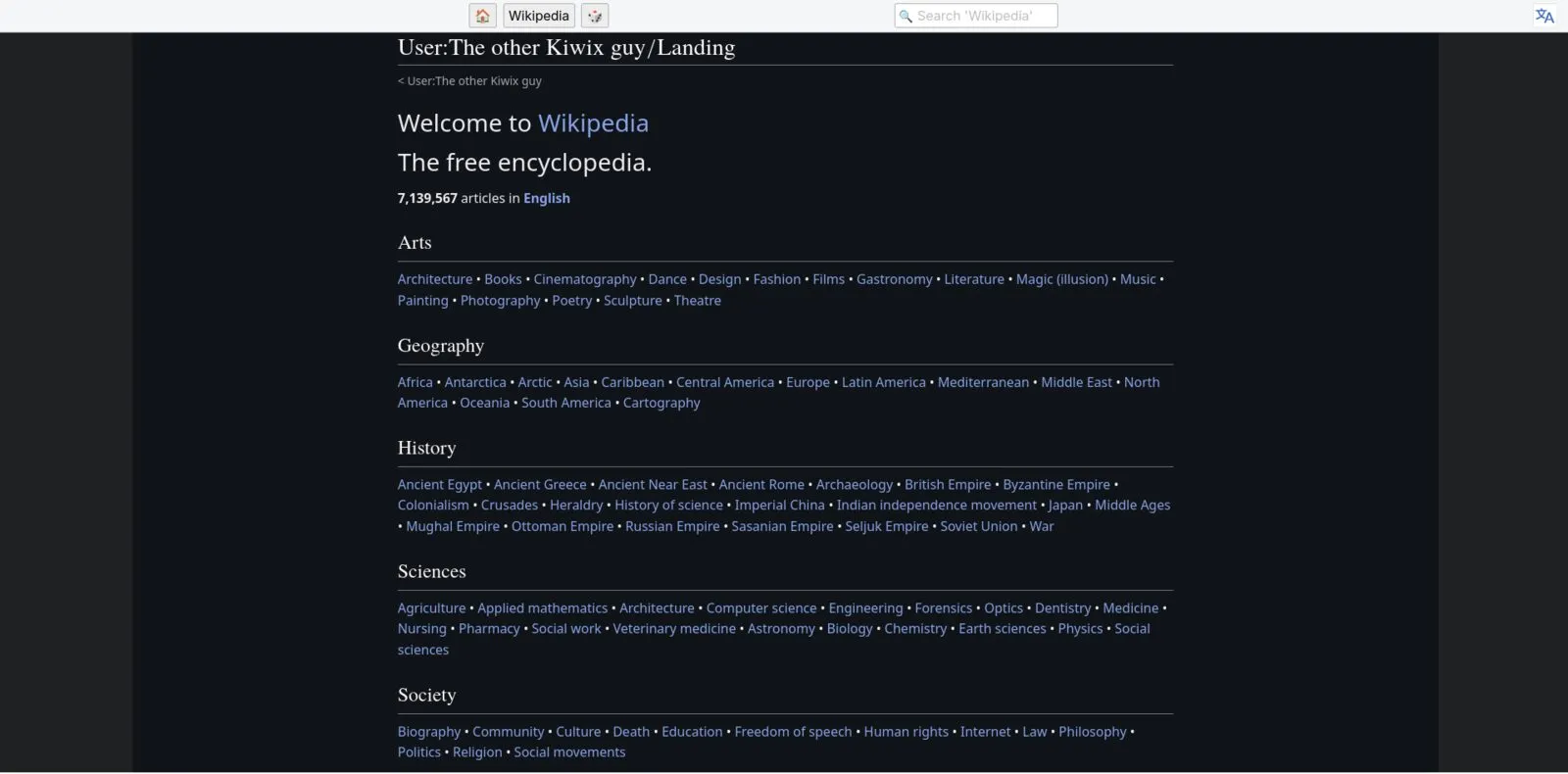
It works exactly like the real thing. I hit http://<server-ip>:8080 from any device on my network and get the full Kiwix landing page with the Wikipedia tile. Click in, and it’s all there: every article, every image, full search, completely offline. It runs automatically on boot and uses about 5-6% of the 2TB. For zero dollars I now own a personal, offline copy of essentially all human general knowledge, which is a slightly absurd thing to be able to say.
j4mes@debianserver:~$ du -sh .../j4mes/kiwix/wikipedia_en_all_maxi_2026-02.zim
116G    .../j4mes/kiwix/wikipedia_en_all_maxi_2026-02.zim
Potential Future Upgrades
- More ZIM libraries. Since the glob serves everything in the folder, I want to add the rebuild-civilization-relevant stuff Kiwix packages: medical references, Wikivoyage, iFixit, Project Gutenberg. Same server, one library.
- A real offline backup of the backup. Right now it lives on one drive in the server, and a server is exactly the thing that fails in the emergency this is meant to survive. The move is a copy of the ZIM on external media I can physically disconnect and stash.
- Keeping it current. My copy is a frozen snapshot from Feb 2026. Kiwix repackages these every few months, so occasionally I’ll want to grab a newer ZIM and swap it in. The beauty of the dated filenames is I can always tell how stale my copy is.
- Access beyond the LAN. Eventually it’d be nice to reach this from outside my network (VPN back in, rather than exposing it directly. There is no reason to put a random service on the open internet).